Tasks. Focus. A little room to pause.

Download ScreenSky for Mac

Bring your tasks, focus resets, and healthy screen breaks together on your Mac.

A healthier workday starts here

Start your 3-day free trial

No credit card required. Download the Mac installer and try ScreenSky’s local task board, short and long breaks, and posture and blink reminders.

  • Your tasks, saved on your Mac
  • Short breaks. Long breaks. Your rhythm.
  • Gentle posture and blink reminders
Download ScreenSky · .dmg

Apple silicon · macOS 14.4+. Requires an Apple silicon Mac (M1 or newer).

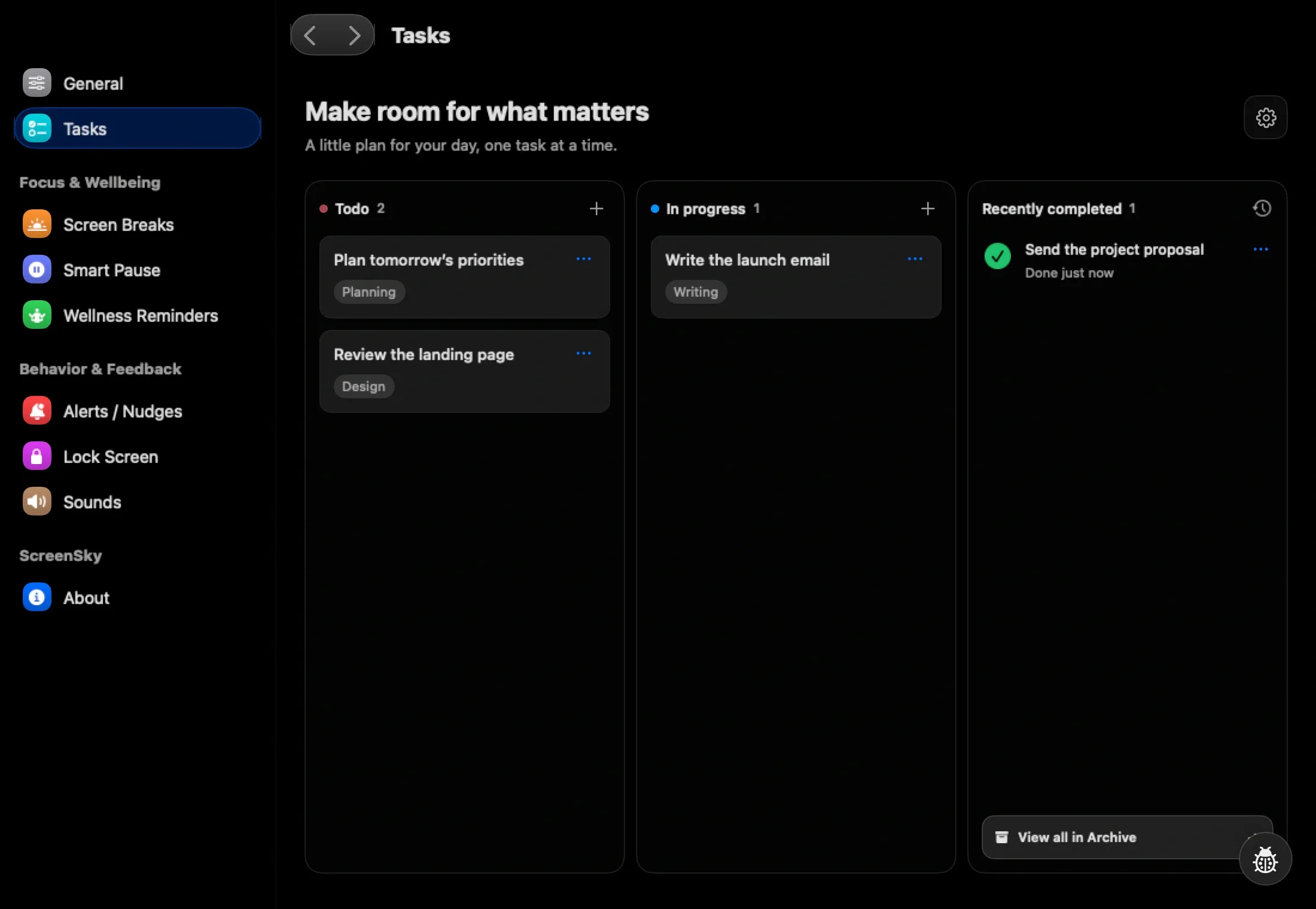
ScreenSky’s native Mac task board with Todo, In progress, and Done columns
Your next step, right where you left it.

Three small steps

Install and get started

See how it works
  1. 01

    Download the Mac app

    Get the DMG installer using the download button above.

  2. 02

    Make yourself at home

    Open the downloaded DMG and drag ScreenSky into Applications.

  3. 03

    Choose your next step

    Open ScreenSky, follow setup, and add your first task. Adjust your working hours and reminders in Settings.

Welcome back

Already purchased?

Download the same installer above and activate it with your license key. Use existing-customer download and license help to find your key, or manage activation when moving to another Mac.

A one-time purchase lets you keep using the versions included with your plan. See pricing for Mac seats and included updates, and the Frequently Asked Questions for licensing details.

Updates & compatibility

Keep your rhythm going

Updating an existing installation? Choose Check for Updates in ScreenSky. If activation needs refreshing, open ScreenSky → License and choose Refresh, then check again.

ScreenSky is Mac-only; iPhone sync and cross-device task sync are not available. Explore the features or read How ScreenSky Works before you begin.