
Tasks. Focus. A little room to pause.
A Mac break reminder for the way you work
Deep in a task, it is easy to miss the moment to step away. ScreenSky brings scheduled screen breaks and your next task together in one Mac app. Choose your rhythm, take a pause, and come back knowing what to do next.
3-day free trial · No credit card required
Apple silicon · macOS 14.4+ · Apple silicon Mac (M1 or newer)

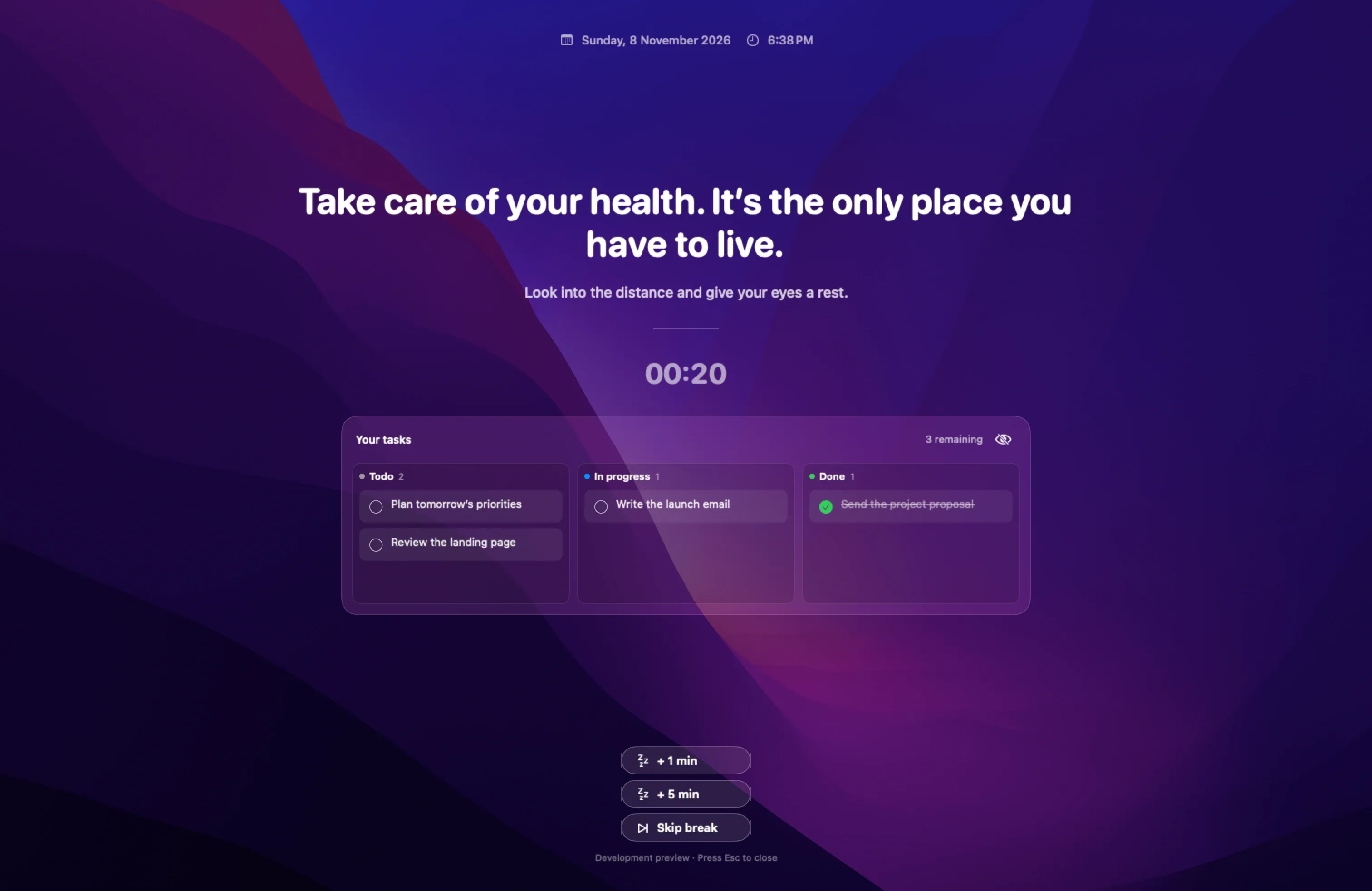
Step away on your schedule
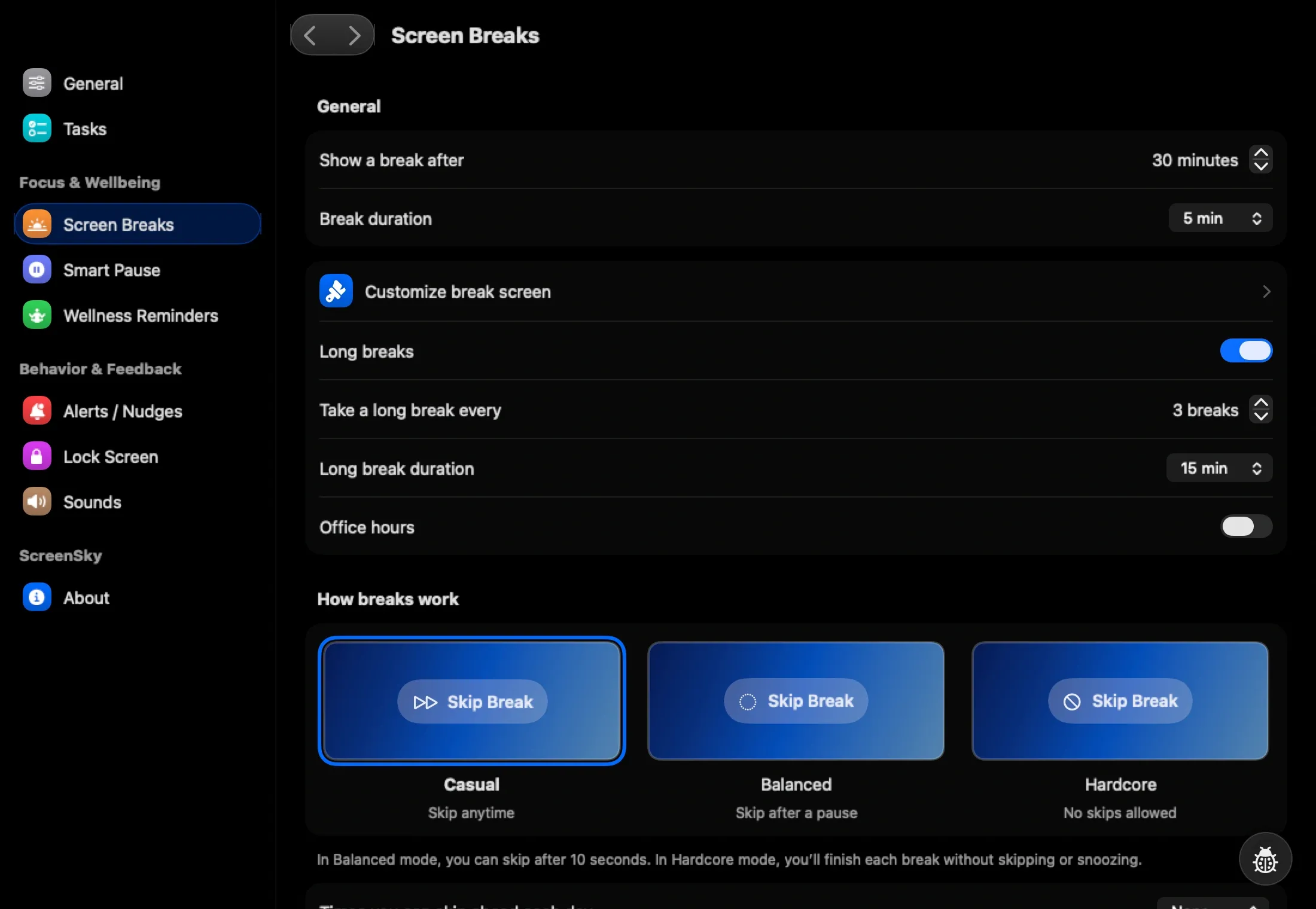
Set your work interval, short breaks, longer pauses, and working hours. ScreenSky brings the break to your screen so you can stop checking the clock.
An upcoming-break heads-up gives you a moment to finish what you are doing. Configure snooze and skip rules to suit your day.
Give your calls some space
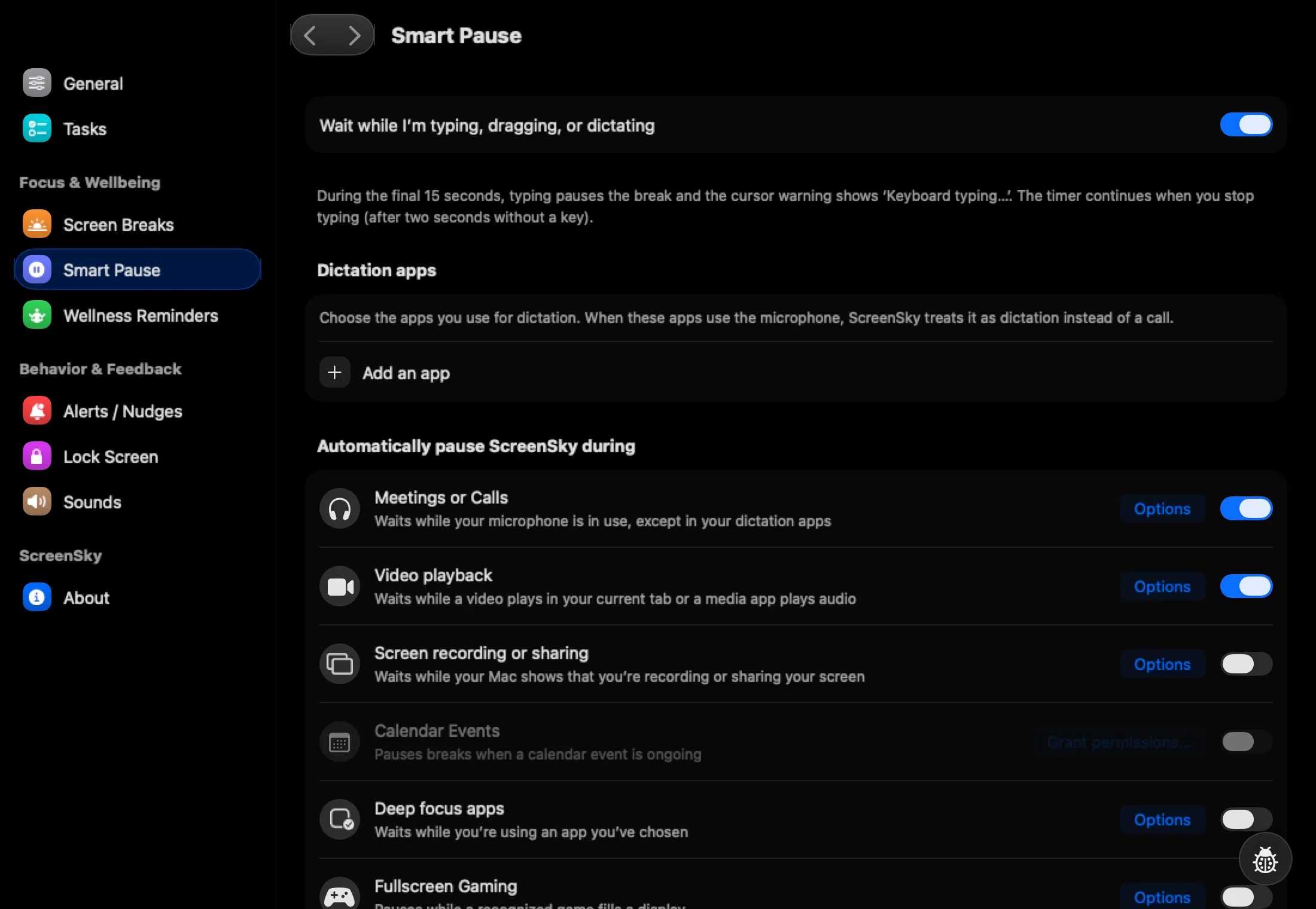
Smart Pause can hold your break timer during microphone use, audio playback, selected apps, or time away from your Mac.
Choose the detection options you need. Availability depends on the app and macOS permissions; test your regular meeting setup before relying on it.
Know where to pick up
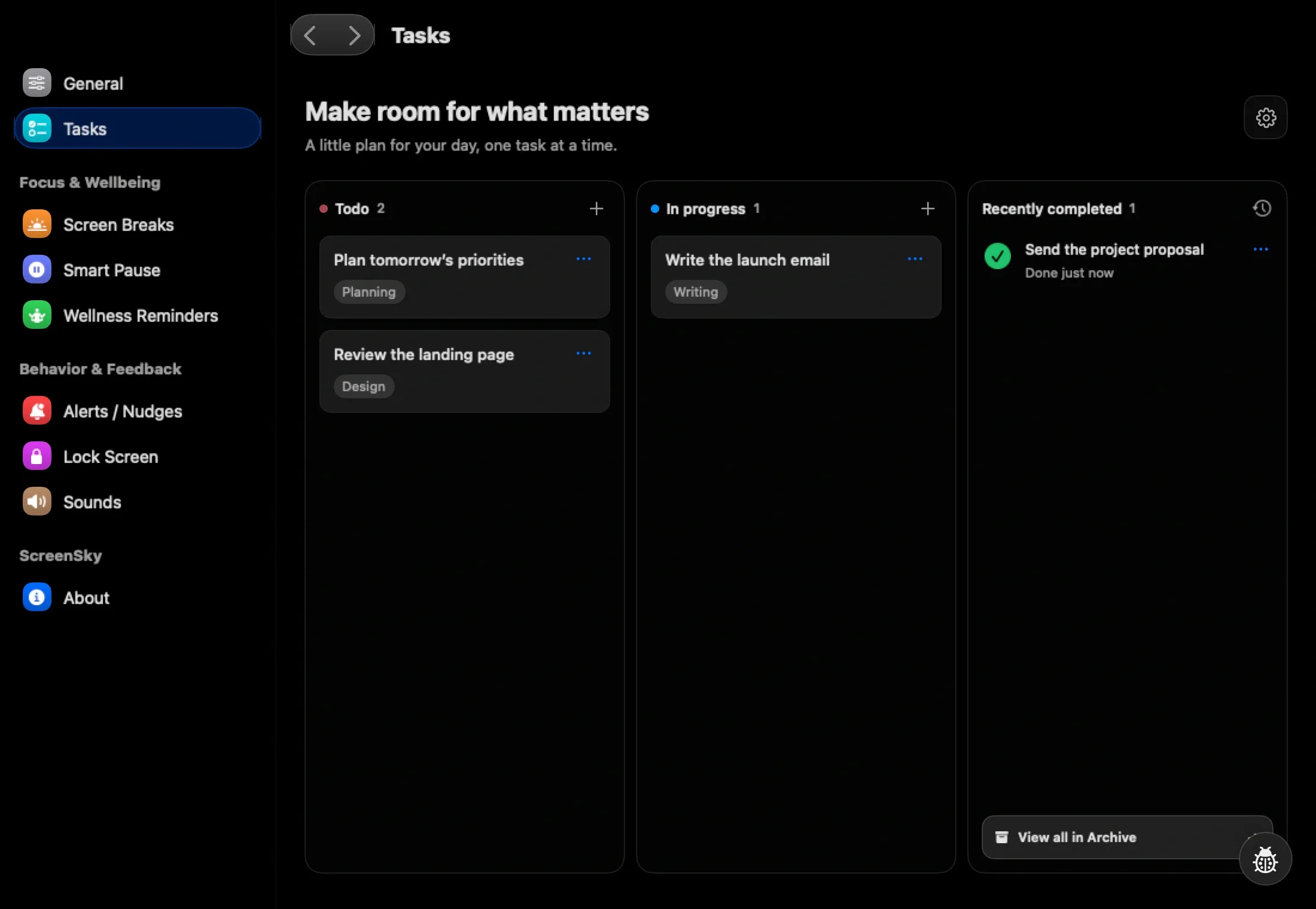
Keep your tasks in Todo, In progress, and Done. Before a break, leave a note such as “Check the failing test with logging enabled.” Your next action will be there when you return.
Use Control + Space to capture another task without opening the board. Your tasks and archive stay on your Mac.
Set up your Mac break reminder
- 01
Install ScreenSky
Download the Mac app, open the DMG, and drag ScreenSky into Applications. Open it and follow setup.
- 02
Choose a work and break rhythm
In Settings, adjust your work interval, short and long breaks, and working hours. Start with a schedule you can follow during an ordinary morning.
- 03
Try one complete cycle
Let a reminder arrive, take the break, and return to a task. If you use Smart Pause, also check it with the call or playback app you use at work.
Questions about your break routine
Is ScreenSky a free break reminder app for Mac?
ScreenSky has a 3-day free trial with no credit card required. After the trial, choose a one-time license. See current plans and included updates. For a free browser option, try the work-break timer.
Which Macs are supported?
Apple silicon · macOS 14.4+. Apple silicon Mac (M1 or newer). ScreenSky’s task board and reminders are Mac-only; cross-device task sync is not available.
Can I change when break reminders appear?
Yes. Configure work intervals, short and long breaks, working hours, and snooze rules. Smart Pause adds optional activity detection so you can hold the timer during supported activities.
How does it compare with other Mac break apps?
Choose around your workday: call detection, free core features, cross-platform support, or a task board. Our Mac break reminder comparison explains the documented options and includes a trial checklist.