The ScreenSky blog
Practical guides to choosing your tools, making progress on your tasks, and making time to step away.
- Best To-Do Apps for 2027: Find the Right App for Your WorkflowCompare seven to-do apps for 2027 by workflow, platform, pricing model, and limitations. Find a fit for daily planning, shared project work, or focused Mac work.

- Blurry Vision After Computer Use: What to Do NextUnderstand possible reasons for blur after screen work, record details for an eye examination, and recognize symptoms that need urgent medical care.

- Desk Posture: A Practical Setup You Can AdjustAdjust your chair, keyboard and screen in a useful order. Try a practical desk-posture check without holding one rigid position all day.
- Do Blue Light Glasses Work for Computer Eye Strain?See what the Cochrane review found about blue-light glasses, distinguish filters from prescription correction, and ask better questions before paying extra.
- Eye Strain Relief: A Gentle Break Routine and Its LimitsTry a simple look-away and movement break, understand the limits of generic eye exercises, and learn why persistent symptoms need individual advice.
- Eye Strain While Studying: Plan the Next SessionArrange study tasks, readable PDFs and off-screen pauses around your workload, with clear limits on what break research says about long study days.
- Eye Strain While Coding: A Workflow You Can ChangeMake code easier to read, leave useful return notes, and plan pauses during debugging. Includes research limits and a firsthand developer account.
- Heavy, Tired Eyes After Screen Work: What to CheckExplore reasons eyes feel heavy after screen work, note useful symptom patterns, and learn when an eye examination matters more than another setting.
- Is Dark Mode Better for Your Eyes? What the Evidence SaysCompare light and dark mode for your reading task. See what a 2025 tablet study found and why a theme alone cannot prevent eye strain.
- Is Digital Eye Strain Permanent? Why There Is No Fixed Recovery TimeUnderstand why screen discomfort has no universal recovery countdown, how it differs from myopia, and when recurring symptoms need an eye examination.
- Monitor Viewing Distance: Adjust Distance and Text TogetherFind a comfortable monitor distance, adjust Mac text scaling, and arrange dual or ultrawide displays without relying on a screen-size formula.
- Screen Time and Myopia: What the Numbers MeanUnderstand the 2025 screen-time meta-analysis and the 2050 myopia projection, including why association, odds and forecasts need careful interpretation.
- Night Shift on Mac: Setup, Troubleshooting and EvidenceTurn on Night Shift, choose a schedule, troubleshoot external displays, and understand what warmer Mac colors can do for comfort and sleep.
- Office Syndrome: Desk Discomfort Without the Scare StatisticsUnderstand what office syndrome means, identify desk tasks that trigger discomfort, and make practical changes without relying on a universal prevalence claim.
- Reduce Eye Strain on Mac: A Checklist for Your WorkdayCheck Mac text size, display placement, lighting and break habits in a useful order, with clear limits on what settings and reminder apps can do.
- Screen Fatigue: Eye Discomfort and Mental TirednessDistinguish eye discomfort from mental tiredness, learn what micro-break research found, and choose a pause that changes the demand of your next task.
- Screen Time and Anxiety: Change the Pattern You NoticeExplore a recent smartphone-reduction trial, identify checking patterns that bother you, and plan useful boundaries without treating an app as anxiety care.
- Standing Desk Height: Measure the Keyboard, Then the ScreenSet standing desk height from your working elbow position and keyboard thickness, then adjust the screen. Use a worksheet instead of false precision.
- When a Personal To-Do List Becomes a Team ProjectLearn when personal tasks need a shared project plan, with clear ownership, useful workflows, visible dependencies, and a small first-project review.
- Work From Home Ergonomics: A Task-Based ChecklistCheck a home workstation using the tasks you actually do. Prioritize keyboard reach, readable screens and work breaks before buying new equipment.
- The 20-20-20 Rule: Set Up a Timer and Make It WorkLearn the 20-20-20 rule, set up a repeating Mac timer, and understand what recent break research says about using the rule as a starting habit.

- Best Break Reminder Apps for Mac: Find Your FitCompare six Mac break reminders by meeting controls, break schedules and task resumption. Use an honest trial checklist to find a fit for your workday.
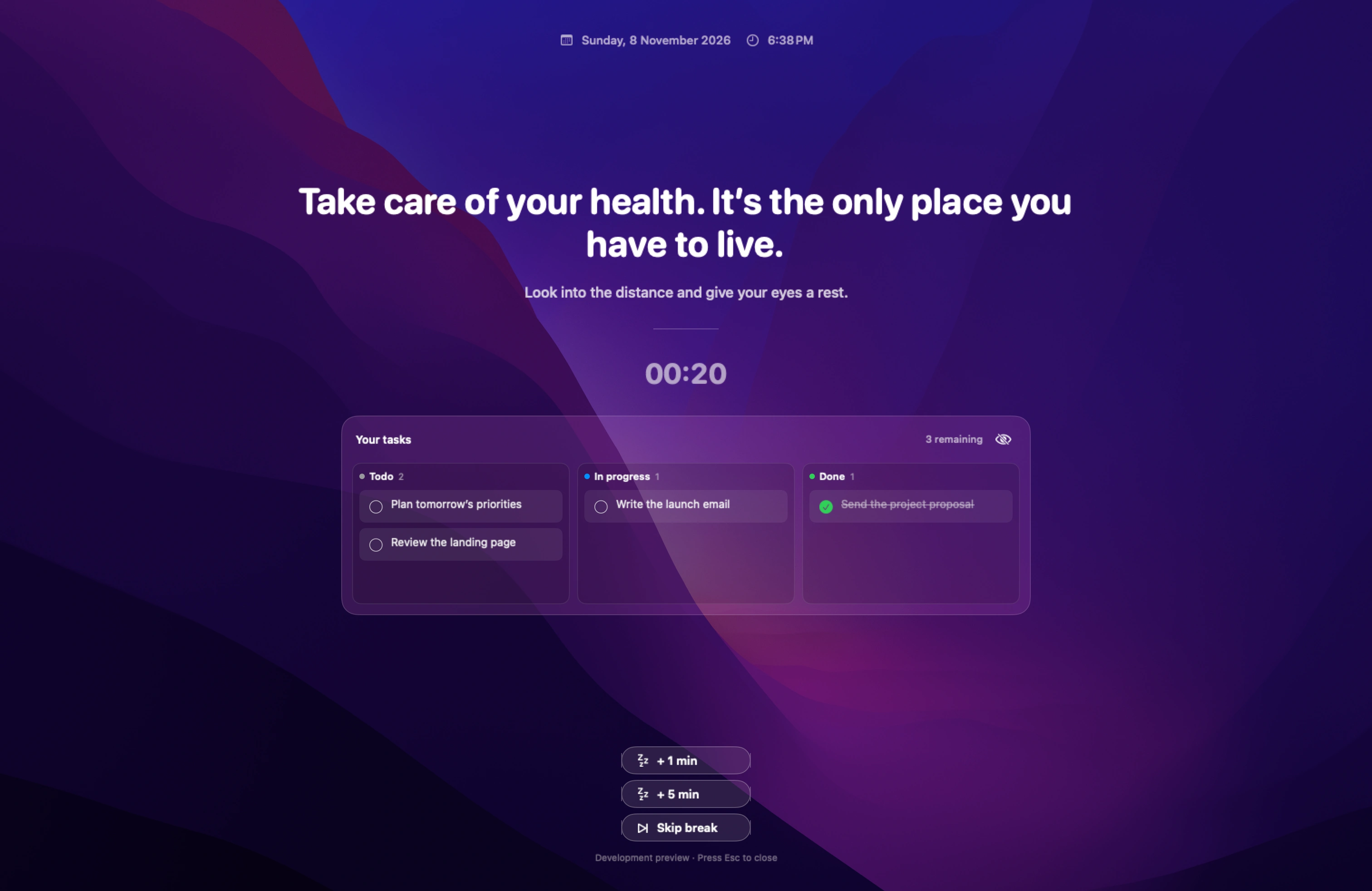
- Guide to Finding the Best Eye Break Reminder App for MacCompare Mac eye break reminders by prompt visibility, timing, and whether they give you enough time to look away.
- Guide to Finding the Best Blink Reminder App for MacChoose a quiet Mac blink reminder and learn how to test its timing, position, and sound while you work.
- Guide to Finding the Best Break Reminder App for ProgrammersChoose a break app that can wait through typing and helps you return to the right file, command, or failing test.
- Guide to Finding the Best Break Reminder App for a Multi-Monitor Mac SetupTest Mac break reminders across displays, full-screen Spaces, and dock changes so the prompt reaches the screen you actually use.
- Make Break Reminders Less Annoying: Timing, Typing and SnoozeTest advance warnings, typing detection and snooze around real work. Keep a visible next step so a break is easier to take and easier to return from.
- Guide to Finding the Best Break Timer for Remote WorkersChoose a remote-work break timer that fits meeting-heavy mornings, time zones, and uninterrupted work at home.
- Guide to Finding the Best Pomodoro Alternative for Taking Screen BreaksChoose between reminders to step away and timed focus sessions, with two schedules to try during an ordinary workday.
- How Often Should You Take Screen Breaks? A Desk-Day PlanCombine brief look-away pauses with longer changes of activity. Adapt an example desk-day schedule to meetings and see what occupational guidance recommends.
- Guide to Finding the Best Full-Screen Break Timer for MacCompare noticeable Mac break timers and check warnings, skip controls, and what you see when a break takes over the screen.
- Guide to Finding the Best Way to Get Back on Task After a BreakLeave a short note with where you stopped, what to try next, and what you already ruled out so you can restart without retracing your work.
- Guide to Finding the Best LookAway Alternative for MacCompare three LookAway alternatives by the reason you are switching: separate break schedules, cross-platform use, or a task list.
- Guide to Finding the Best Break Reminder App for Mac Without a SubscriptionCompare a one-time Mac break reminder license with free options. Check device limits, included updates, and what happens when updates expire.
- Guide to Finding the Best To-Do App for Mac If You Keep Switching TasksChoose a Mac task app that lets you capture interruptions, keep one task visible, and leave yourself a clear place to resume.
- Guide to Finding the Best Offline Break Reminder App for MacCompare offline Mac break reminder options and run an offline test before using one on a flight or restricted network.
- Guide to Finding the Best Posture Reminder App for MacChoose a scheduled Mac posture prompt and check its placement, sound, and privacy before you leave it running all day.
- Guide to Finding the Best Way to Remember to Take Breaks While Working From HomeBuild a work-from-home break habit with a cue you already see, a specific reason to get up, and a backup for busy afternoons.
- Guide to Finding the Best Stand-Up Reminder App for MacChoose a Mac reminder that prompts you to leave your chair and gives you enough time to move before returning.
- Guide to Finding the Best Stretch Reminder App for Desk WorkersFind a desk stretch reminder you will act on. Compare suggested movements, long breaks, and the flexibility to adapt a prompt.