
Tasks. Focus. A little room to pause.
An eye break reminder that makes room to look away
When your attention stays on a screen, a little prompt can help you remember to pause. ScreenSky combines full-screen breaks with separate blink reminders, so you can make room to look away and keep gentle prompts between longer pauses.
3-day free trial · No credit card required
Apple silicon · macOS 14.4+ · Apple silicon Mac (M1 or newer)

Make room to rest your eyes
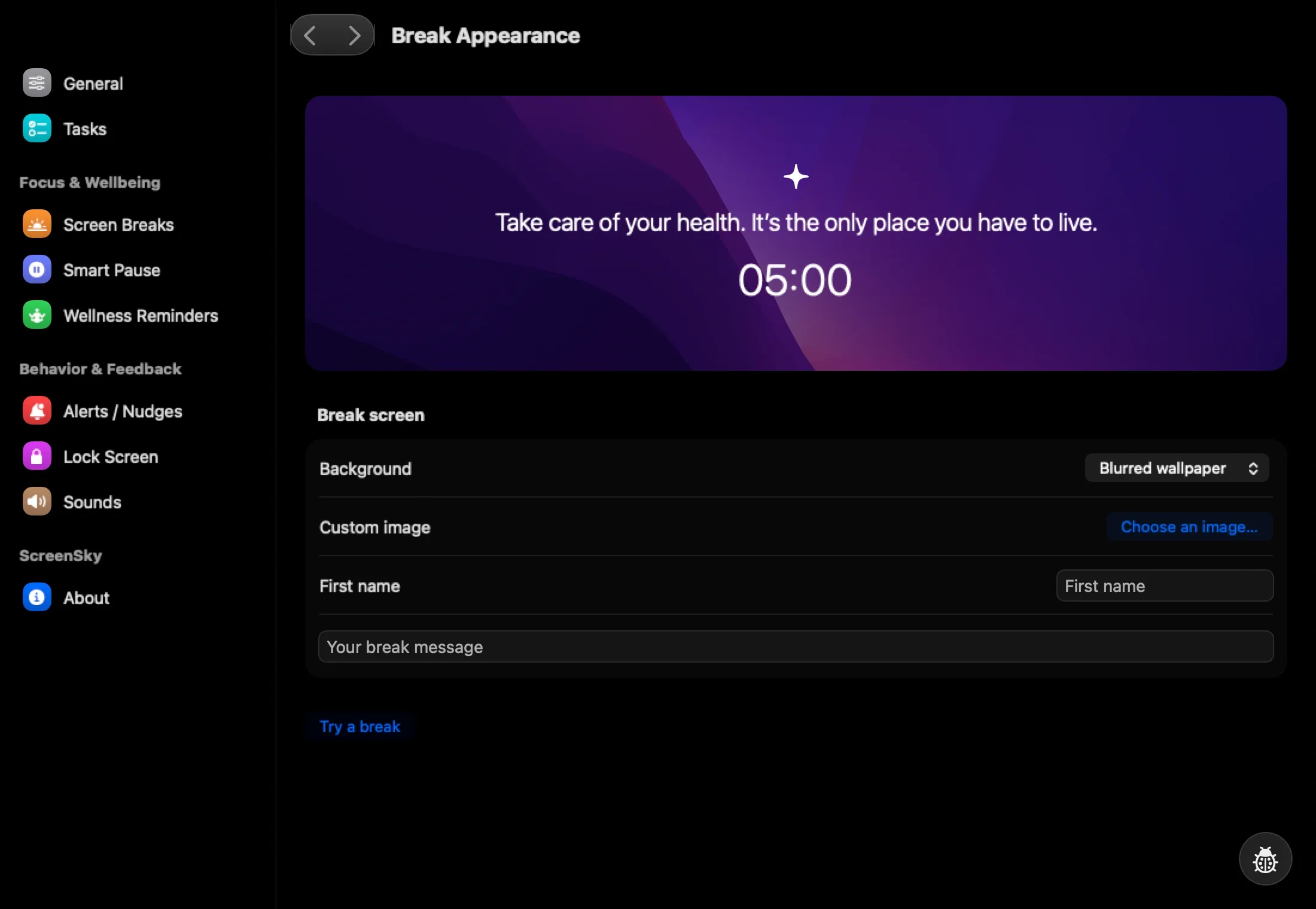
A screen break reminder gives you a clear stopping point. Choose a work interval and break length, then use that pause to look away from your Mac.
Personalize the break background and message. Hide pending tasks when you want a quieter screen during your pause.
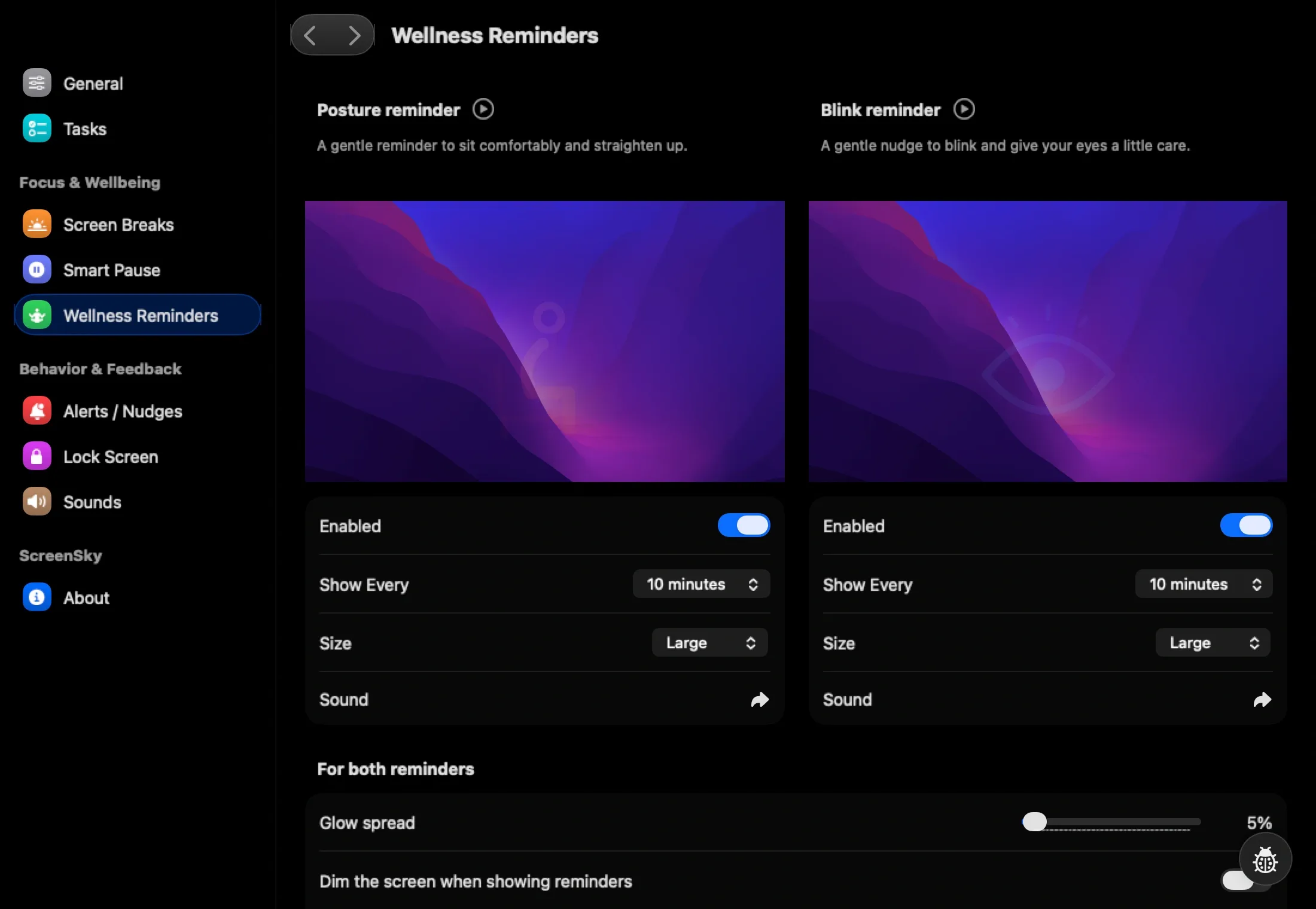
Keep blink prompts separate
A blink prompt and a screen break serve different moments in your day. ScreenSky lets you configure blink reminders separately from the work and break timer.
Adjust timing, appearance, and sound controls in Settings. Choose prompts you can comfortably keep enabled while reading, writing, or coding.
Keep your next step nearby
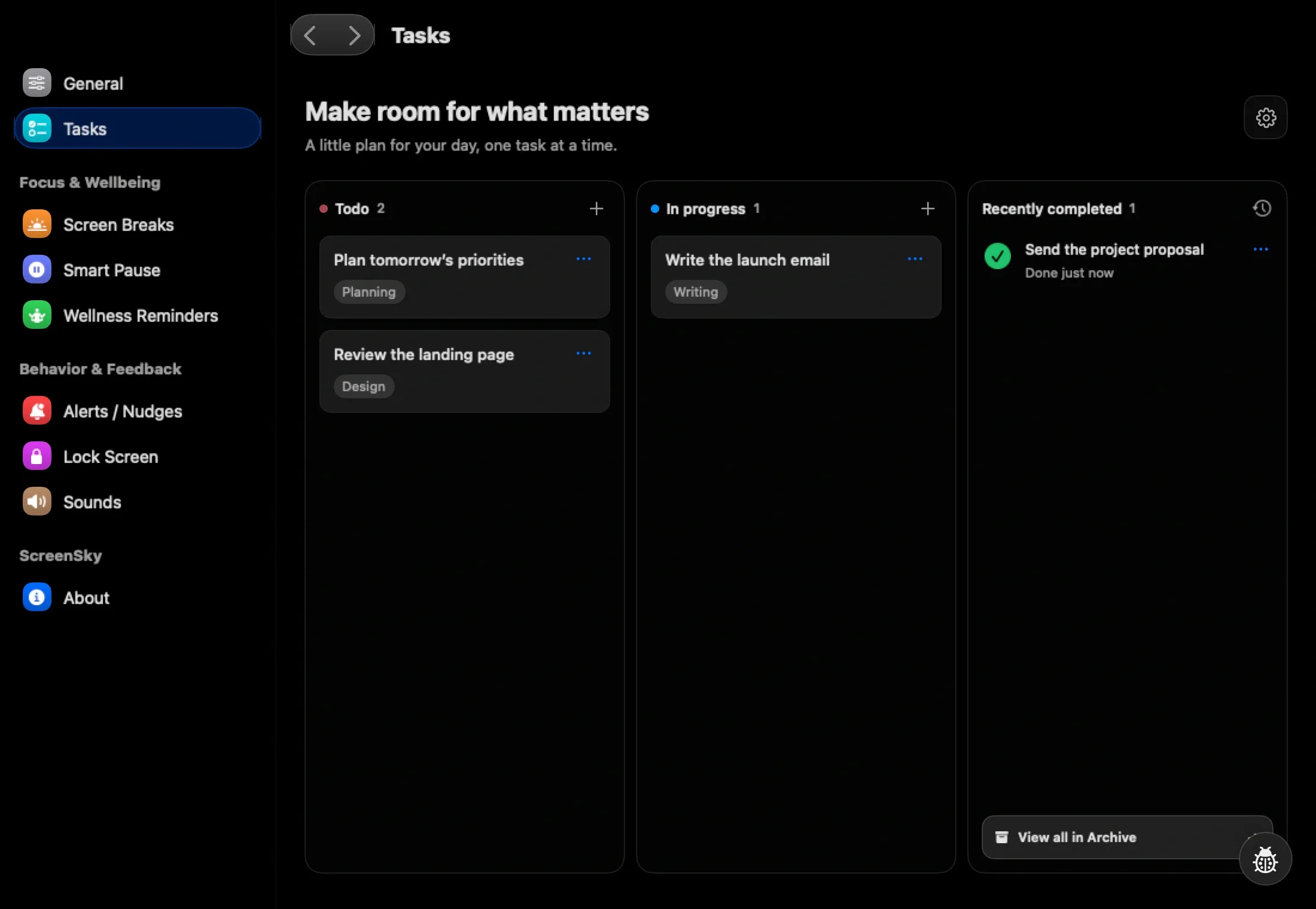
Before you step away, add a short note to your current task. “Continue from the second chart” is more useful than trying to hold your place in your head.
When you return, your local task board is ready. You can also enable separate posture reminders if you want a prompt to check your sitting position.
Set a reminder to rest your eyes
- 01
Start with screen breaks
Download ScreenSky and choose a work interval and break duration in Settings. Use the first break to step away from screen work.
- 02
Adjust your blink reminders
Open Wellness Reminders and enable blink prompts if you want them. Set their timing and appearance independently of full-screen breaks.
- 03
Make the prompts fit your day
Adjust reminder sounds and volume, and check the first few prompts during normal work. For calls, review Smart Pause settings and test the detection options you enable.
Questions about your break routine
What is the difference between an eye break and a blink reminder?
An eye break reminder asks you to pause screen work. A blink reminder is a brief prompt between breaks. ScreenSky has separate controls for screen breaks and blink reminders so you can choose either or both.
Does ScreenSky track my eyes or diagnose eye strain?
These features are configurable reminders, not a diagnosis or a clinical assessment. The page describes scheduled prompts and breaks; it does not promise to prevent or treat an eye condition.
Can I change the reminder sounds?
Yes. Settings include sound and volume controls for breaks and reminders. You can choose the timing and appearance of posture and blink prompts separately.
Can I try an eye break reminder before buying?
Try ScreenSky free for 3 days. No credit card required. Apple silicon · macOS 14.4+. Apple silicon Mac (M1 or newer). Download ScreenSky or compare Mac eye break reminders before choosing.