
Guide to Finding the Best To-Do App for Mac If You Keep Switching Tasks
By ScreenSky ·
Choose a Mac task app that lets you capture interruptions, keep one task visible, and leave yourself a clear place to resume.

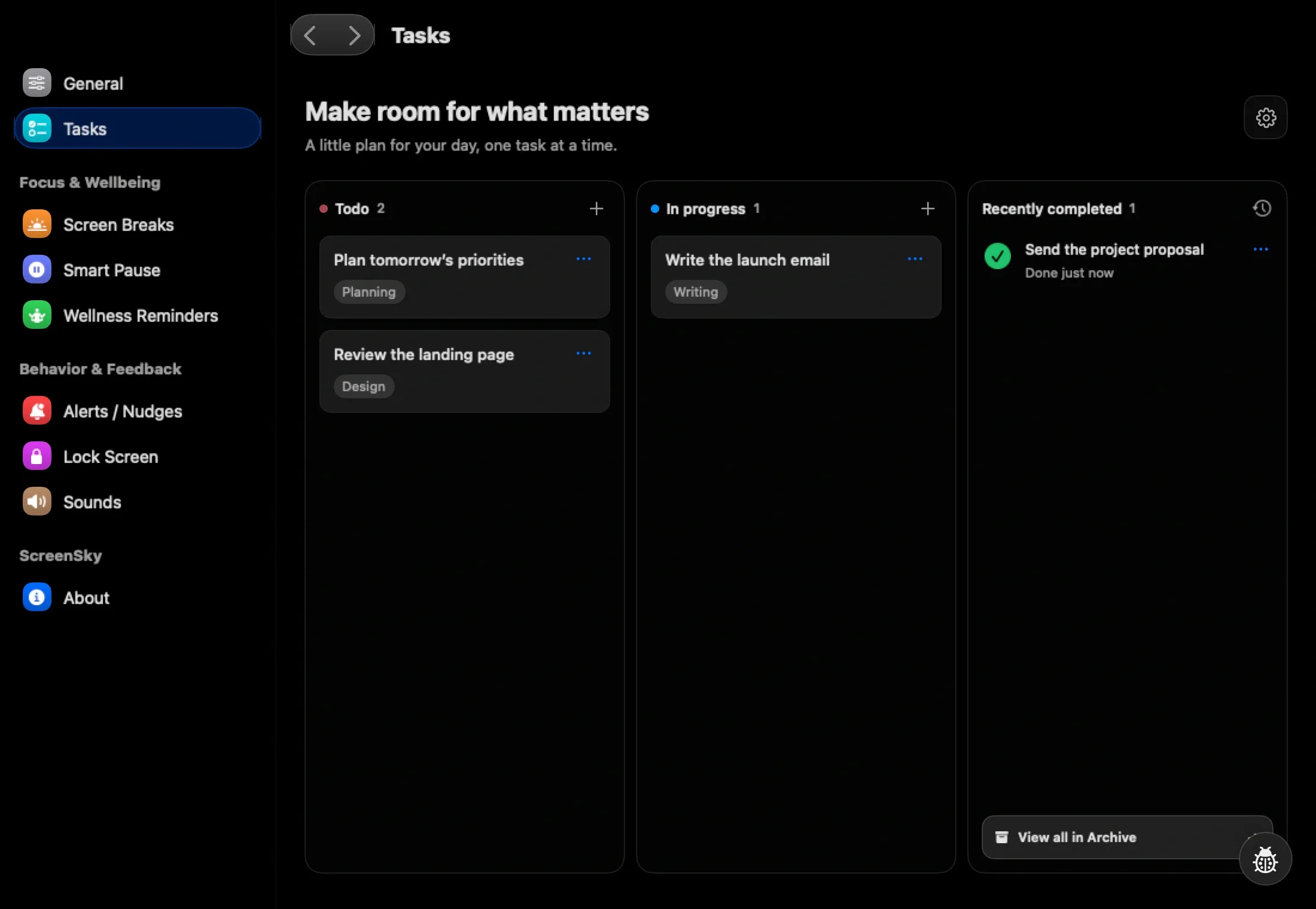
Pick a Mac to-do app that lets you capture an interruption quickly and then find your original task again. ScreenSky is a fit for a local task board and scheduled breaks. Try Things if a personal Today list and project organization matter more to you. Start with Todoist if your handoffs happen in shared projects and coworkers need to see them.
Test the switch with three real tasks
Choose one task you can work on now, one you are waiting on, and one new request that comes in during the day. Start the first task. When the request arrives, capture it in one line, then return to your original task before deciding when to do it.
Leave one next action before moving on. “Open the mockup and check the mobile checkout state” will be easier to resume tomorrow than “finish checkout.” If the original task takes a search through several lists to find, try keeping a shorter Today list or one visible task in progress.
Choose where tasks need to live
A personal reminder can stay on your Mac. Work that someone else has to pick up needs a shared place. If you split these jobs between apps, keep the project deadline in the team’s tool and your personal next step where you work. Check the same rule if you often start a task on your phone and finish on your Mac.
At the end of the day, open the app cold. See how quickly you can tell what you were doing and where to start. That tells you more about its fit than comparing how many views each app offers.
Sources
- ScreenSky task board and breaks (checked )
- Cultured Code Things features (checked )
- Todoist task and collaboration features (checked )

